← Selected works

Markdrop

Visual feedback pinned to the live element. Built solo as a leaner alternative to Markup.io, and now used by more than 200 studios across web, image and PDF review.

My role Sole designer and engineer
Timeline 2025 — present
Team One person
What I owned
Product designInteraction + UIFront-endBack-endMarketing siteSupport
Where it got to
200+ studiosShipped 2025
The problem

Feedback that has lost its subject

A studio sends a client a staging link. The feedback comes back as a Slack message: "the heading feels off, and the button on the pricing page is the wrong blue." Then a screenshot with a red circle drawn on it. Then a second Slack message correcting the first. Then an email from someone else on the client's team who has not seen either.

Every one of those messages has been separated from the thing it is about. Somebody now has to rebuild the connection by hand — which heading, which viewport, which of the four blues, and whether the correction supersedes the original. The work is not the fix. The work is the reassembly, and it is repeated on every round of every project.

The existing tools solve this by moving the conversation into a document: upload the design, comment on the upload. That works, and it introduces a new problem — the thing you are commenting on is now a copy, and it drifts from the site the moment anyone deploys.

Conceptual model

The comment belongs to the element

Markdrop's whole model is one relocation. In a document-based tool a comment is a child of a file. In Markdrop a comment is a child of a live element — so it stays attached through deploys, and it arrives at the developer already knowing what it refers to.

DOCUMENT MODEL — the copy driftsMARKDROP — the comment is anchoredLive siteUploaded copyCommentno link back to the real elementElementCommentanchoredcarries screen state, console, browser

Left: the conventional model, where the comment attaches to a copy that immediately starts drifting from reality. Right: Markdrop, where the comment attaches to the element on the live page and carries its own context.

  1. 01 Document model: design is exported to a file, the file is uploaded, comments attach to the upload. The file is stale as soon as anyone deploys.
  2. 02 Element model: the comment attaches to the element on the running site, and travels with the screen state, console output and browser it was left in.

Drawn in September 2026 to explain the shipped product's model.

Decisions

Two calls that follow from the model

01

Anchor to the live DOM, not to a screenshot

The problem

A comment needs a subject that both the reviewer and the developer agree on. A screenshot is unambiguous but frozen; a live page is current but moves.

Options on the table
  • Capture a screenshot on comment and pin to the image — stable, and immediately out of date.
  • Pin to the element on the live page and re-resolve it on each visit — current, and breakable.
What I chose

Pin to the live element, and capture the screen state alongside it as evidence rather than as the subject.

Why

The reviewer and the developer are looking at different things in a document-based tool: one at an image, one at a running site. Anchoring to the element removes the translation step entirely — the developer opens the comment on the real page, in the state it was reported in. The screenshot still gets captured, but as supporting context, not as the thing being discussed.

What it cost

Anchors are fragile. A layout change or a rebuild can move or remove the element a comment was attached to, which turns a solved problem into a resilience problem that a screenshot-based tool never has to think about.

02

Collect developer context without asking the reviewer for it

The problem

The person leaving feedback is usually non-technical. The person acting on it needs console output, viewport, browser and the route it happened on — none of which a client can be asked to provide.

Options on the table
  • Ask for details in the comment form — accurate when filled in, and mostly not filled in.
  • Capture console logs, session context and environment automatically whenever a comment is left.
What I chose

Capture it silently and attach it to the comment. The reviewer writes one sentence; the developer receives a bug report.

Why

Every field added to a feedback form reduces the number of people who finish it, and a client abandoning feedback is worse than feedback without metadata. Moving the collection out of the interface means the quality of the report no longer depends on the technical fluency of whoever is reviewing.

What it cost

It captures more than the reviewer realises, which puts real weight on what gets stored and shown. It also grows the payload on every comment, on pages that are already carrying the site itself.

The product

Screens, and what each one decides

Markdrop is live at markdrop.app.

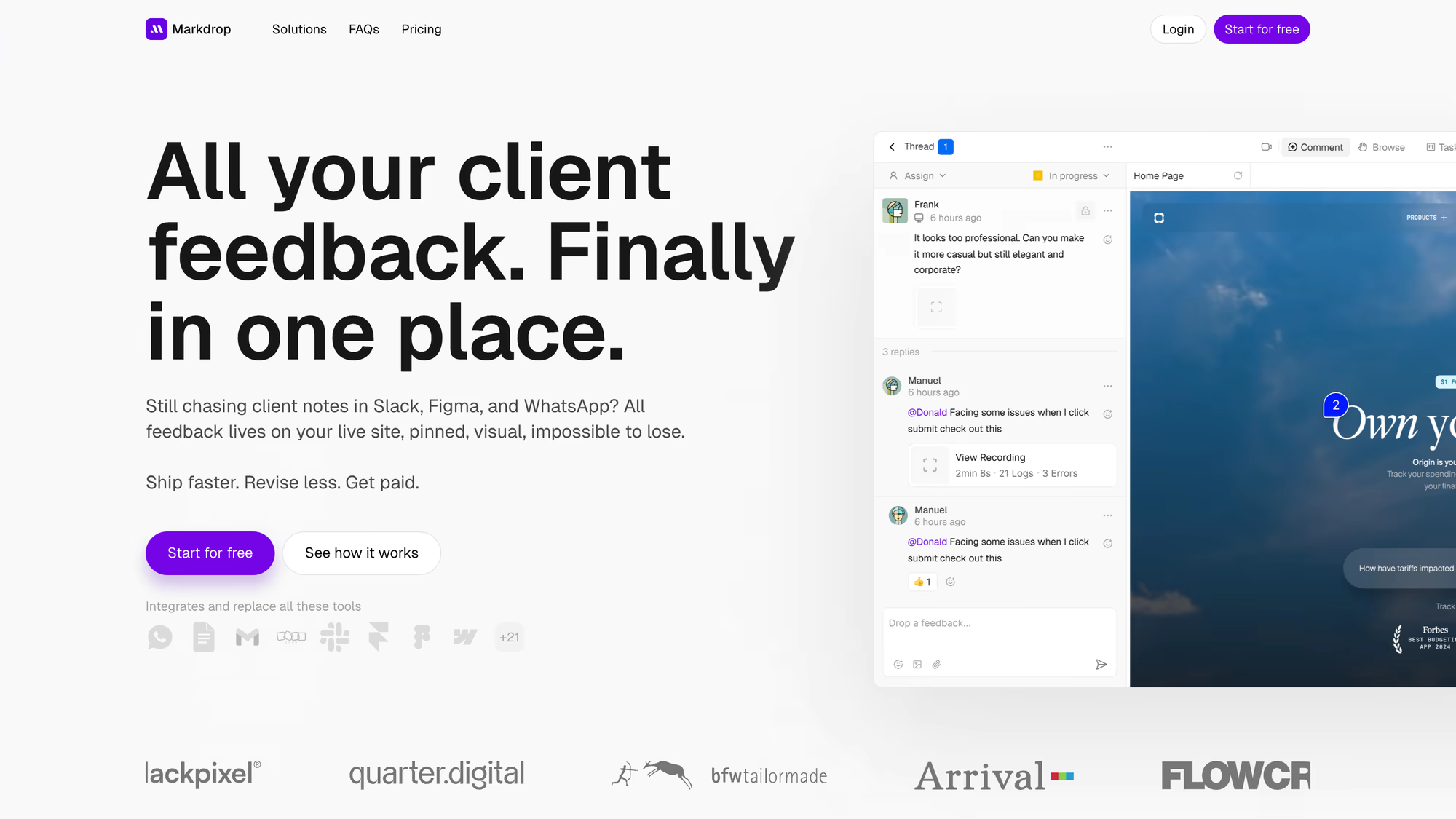
Comment pinned to a heading on a live client site, with the resolvable comment thread alongside it
The comment is attached to the heading itself on the live site — not to a screenshot of it. Everything else in the product follows from that one choice.
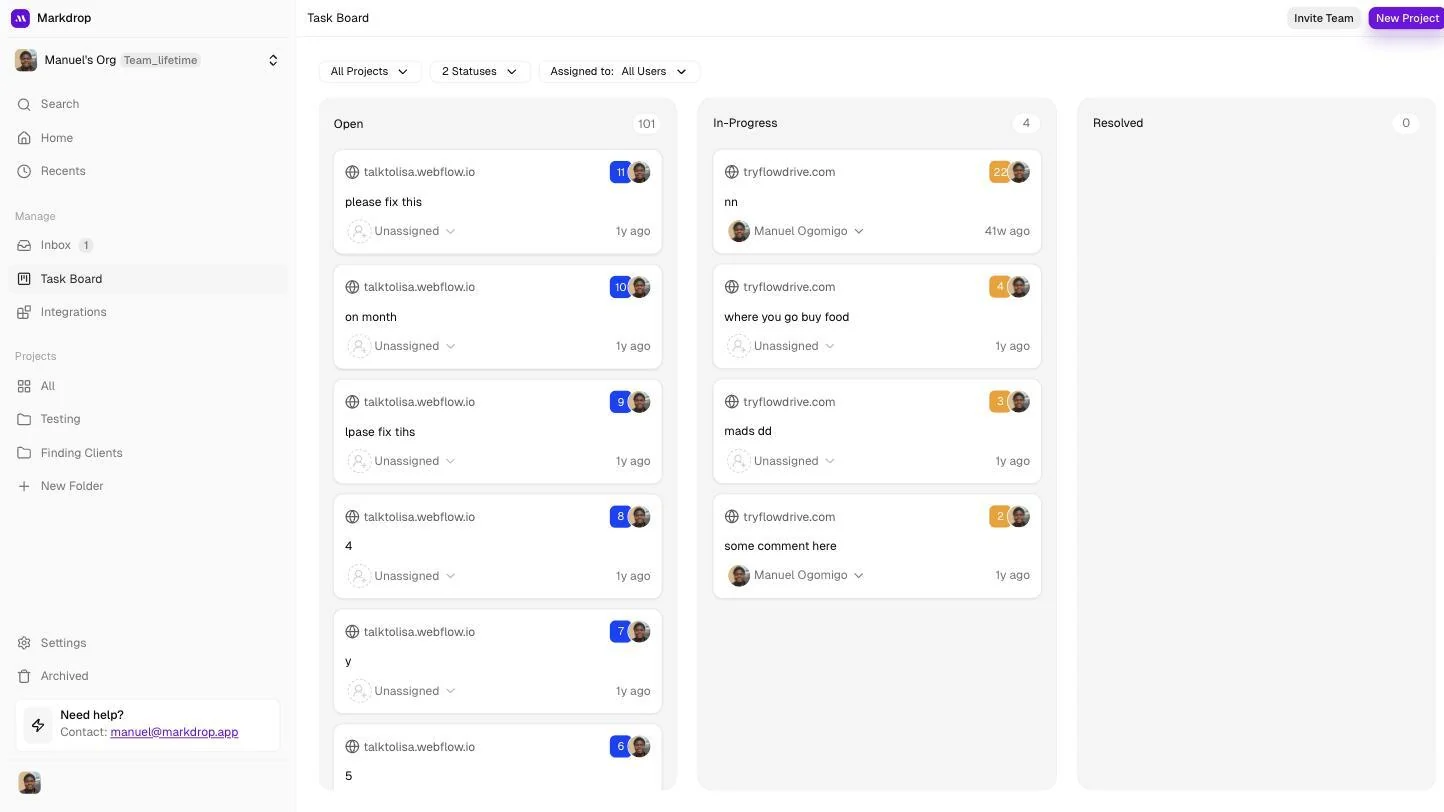
Task board grouping every piece of feedback into open, in-progress and resolved
Feedback becomes work with a state. Without this, review tools produce a pile of opinions and no way to tell what is left.
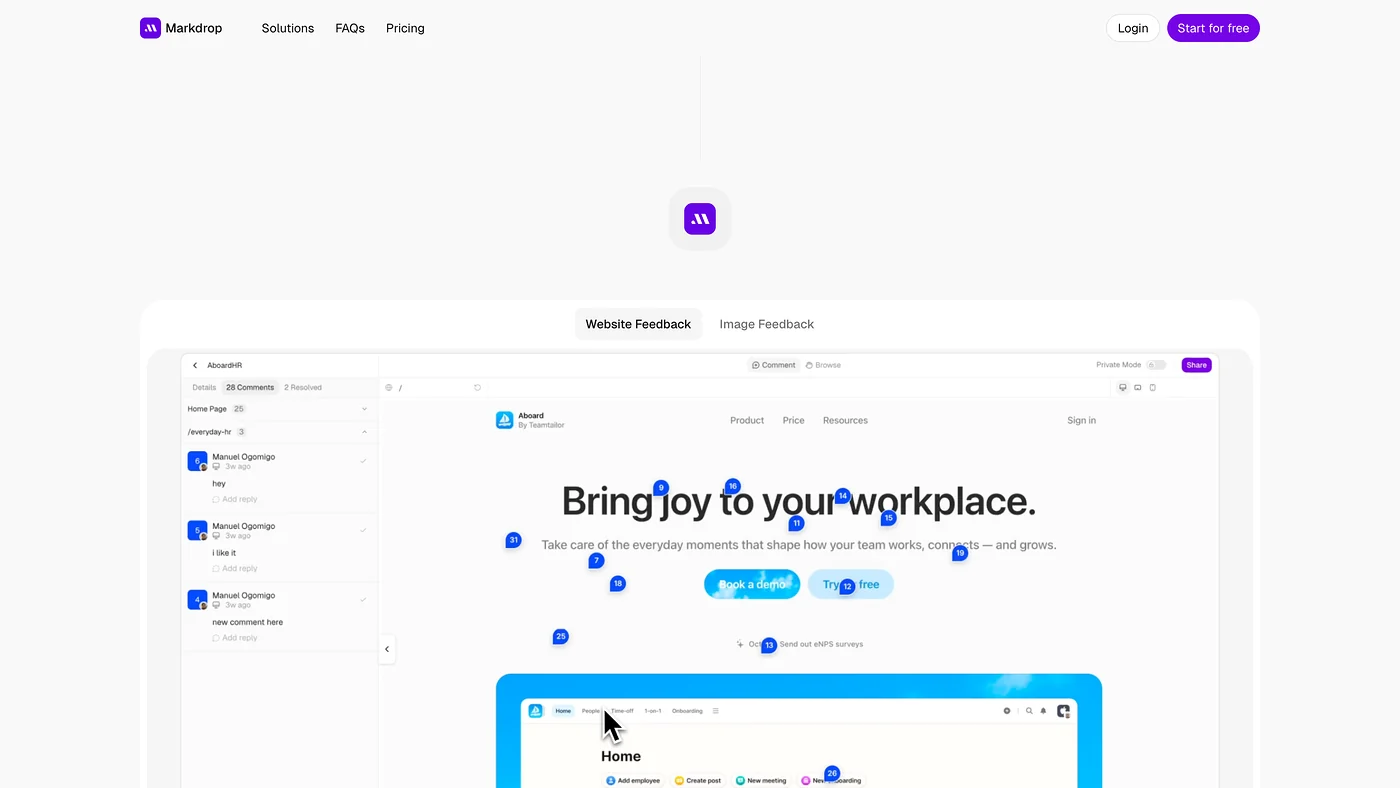
Feedback pins and teammate cursors sitting directly on a live app screen
Presence on the page. Reviewers can see they are not the first person to look, which cuts duplicate comments on the same element.
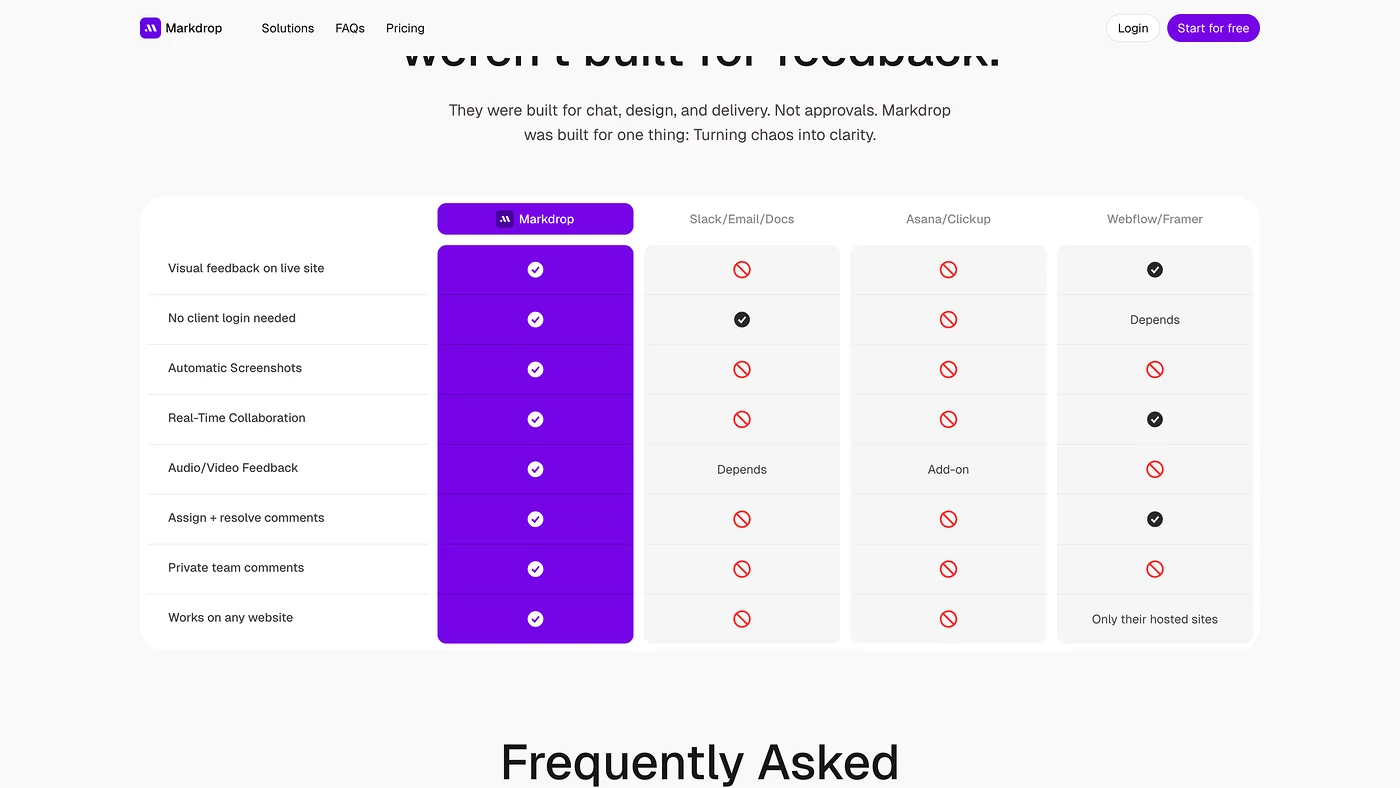
Markdrop compared against Slack, email and design-tool commenting
Positioned against the tools people actually use for review — Slack, email, design-tool comments — rather than against direct competitors.
Feedback pins dropped straight onto a live page
The reviewer never signs up or installs anything. Adoption dies at the point a client is asked to create an account.
Next

Flowdrive

The longer case study: how a client request became file infrastructure serving 70 million requests a month, the research that reframed the problem, and the day I deleted every customer asset.

Read the Flowdrive case study
Gallery

The product, in motion

Markdrop end to end: the marketing pitch, then pinned comments on a live client site, the task board, inbox and Slack integration
Contact

Got something that has to go live? Let's talk.

Tell me what you're building. I'll tell you if I'm the right person for it.